
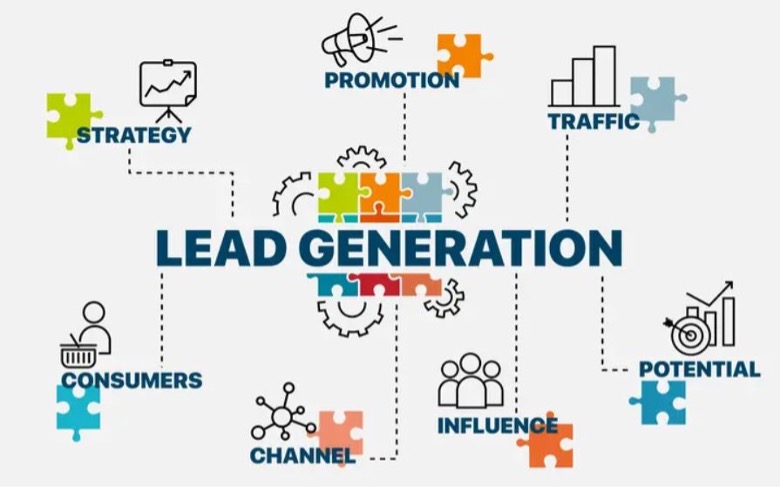
How to generate more leads for your online business.
To get conversions, you need leads – and finding them seems like a difficult task. But, you can reach your target audience, educate and filter through them all with one platform.
Reach your target audience.
Find potential customers for your business.The first stage of your lead generation process is called awareness. At this stage, your goal is to find potential customers among the people who would benefit from using your product or service. Below are 8 GetResponse tools for reaching new prospects, and here’s how to use them:
1. Create signup forms for your website and landing pages
A signup form is an essential lead generation tool. It works like this: people visit your website, learn about your business, and sign up for your email marketing communication if they are interested in the offer. A website with a signup form and an email marketing series is already a working lead generation process.Create a form for visitors who want to stay in touch with your brand and know more about your products. To create a signup form, choose the Forms and surveys feature in the menu and click the “create form” button. There are seven types of forms to choose from. Perhaps the most common types are the fixed bar and popup.You can save time by choosing one of the predesigned templates and customizing it to match your brand identity. The color magic feature allows you to quickly apply your website colors to the available templates.
2. Create videos, banners, and slideshows for social media with the Social Ads Creator
Social media is where your potential customers are. That’s why you should build your online presence using social media platforms. To drive more quality traffic to your website and landing pages, use both organic social media activity and paid ads.
In both cases, you’ll need great-looking content to appeal to your audience. Here’s how you can quickly create social media content with GetResponse Social Ads Creator – an app designed to simplify the process of creating social media marketing assets.
There are two ways you can use the app:
- Add your product photos, names, and prices, and the app will automatically create different sets of branded promotional videos, banners, and slideshows.
- Choose the ones you like, edit if needed, and share them with your audience.
Or
- Choose from 200+ predesigned templates.
- Add your photos or browse the photo library.
- Edit the text, change the color, size, and font.
- Add your message and logo and share the post with your fans and followers.
3. Create a landing page for your newsletter or product
A landing page is a simple website with a single call to action, e.g., download an ebook or sign up for a newsletter. It can be a signup page for your newsletter that you can promote on Facebook.
Here’s how to create a landing page in GetResponse:
- Choose one of the pre-designed templates and customize it so that it reflects your brand identity:
- Write copy that clearly presents the benefits of joining your mailing list. Explain why I should sign up for your newsletter.
- Create a mobile version for your landing page. Make sure it looks great on mobile devices.
- Fill in the landing page and subscription settings.
- Publish your landing page.
- Use the landing page URL to promote it.
4. Run paid ads to generate leads on Facebook and Instagram
Run paid ads to reach your target audience on Facebook and Instagram. The goal is to drive traffic from social media to your website or landing page, where people convert by subscribing to your newsletter or buying your product.
You don’t need to use the Facebook Ads Manager. You can use the Facebook Ads tool in the Paid Ads section.
5. Generate leads using Google Ads
Run paid ads to reach your target audience in Google. The goal is to appear in the search engine whenever people type in the keywords related to your business and drive traffic to your website or landing page.
While Facebook and Instagram are great platforms to build awareness and show your product to people who are at the beginning of the buyer’s journey, Google works best for the people who are gathering information and evaluating available options.
Here’s how you create Google ads in GetResponse. Once again, the process boils down to 5 easy steps:
- Enter a name for your ad
- Connect your Google account or create a new one
- Add content (headlines, URL, and descriptions)
- Choose the right audience for your ad
- Set the budget and ad runtime
6. Run webinars to bring new leads and interact with your audience
Webinars are among my favorite and most effective lead generation tools. A well-planned and executed webinar is a standalone lead generation campaign.
Webinars allow you to reach your target audience, engage with attendees in real time during the webinar, and stay in touch with registrants and attendees after the webinar with follow-up emails.
Choose Webinars from the menu and click the “Create webinar” button.
Create a webinar in three steps:
- Enter your webinar title
- Configure the basic settings
- webinar URL
- date
- duration
- thank-you page
- Configure registration and subscription settings
- contact list to assign attendees to
- reminders
7. Create a lead gen campaign with a list-building funnel
To automate the process of setting up lead generation campaigns, we have created the Conversion Funnel. This feature guides you through the marketing assets required for three types of lead generation campaigns:
- contact list building
- selling a product
- promoting a webinar
Here’s how it works. Choose the conversion funnel from the menu and click the “create funnel” button. You’ll see two funnels that allow you to build a list:
- Lead magnet funnel
- Standard opt-in funnel
8. Get more leads through integrations
Use your favorite products to run more lead generation campaigns. Some of the most popular integrations are:
- Zapier – Integrate different applications to allow them to communicate with each other without using any code.
- Eventbrite – Get the word about your events out to your current and future attendees. Keep them informed and engaged with announcements and reminders. Show them your appreciation with follow-ups.
- Salesforce – Automatically add prospects to your contact list.
Educate your audience. Let them know if your product or service is what they are looking for.
You already know how to use GetResponse tools to reach potential customers during the so-called awareness stage. Now it’s time to learn more about connecting with the people who expressed their interest in your offer.
This section provides some information about the tools that will help you educate your contacts and help them decide to buy your product or service.
Create an email series using automation
Email remains the preferred channel for communication between brands and customers. You can use email to send relevant information about your brand and products.
I recommend creating a welcome email series consisting of the following messages:
- Welcome email: these tend to have the highest engagement rates: 88.7% open rate and 35.07% click-through rate.
- Education emails: a series of emails providing essential information about your brand, products, or services. The goal of this series would be to educate your customers and present your strong selling points.
- Buying incentive: once your audience receives the educational series, it’s time to incentivize the purchase. Let them know that if they are interested in your product or service, now it’s the perfect time to buy. For example, you can provide a limited-time discount for the first purchase or a special offer for first-time buyers.
Plan your content and create emails using the pre-designed templates. When your emails are ready, you can create an automation workflow using conditions, actions, and filters.
Check who is really interested in your product or service.
Automation also allows you to track contact engagement and behavior. This way, it provides you with data for further improvement and optimization.
Here’s how you can track engagement and see who is interested in your communication.
1. Identify hot leads with engagement score
An engagement score is a tool that identifies and scores your contacts’ activity based on their interactions with your emails. There’s a 5-step engagement level scale:
- Not engaged
- At-risk
- Neutral
- Engaged
- Highly engaged
You can use engaged and highly engaged as your hot lead segments since these are people who open your emails and click the links.
